Christmas Card 2010
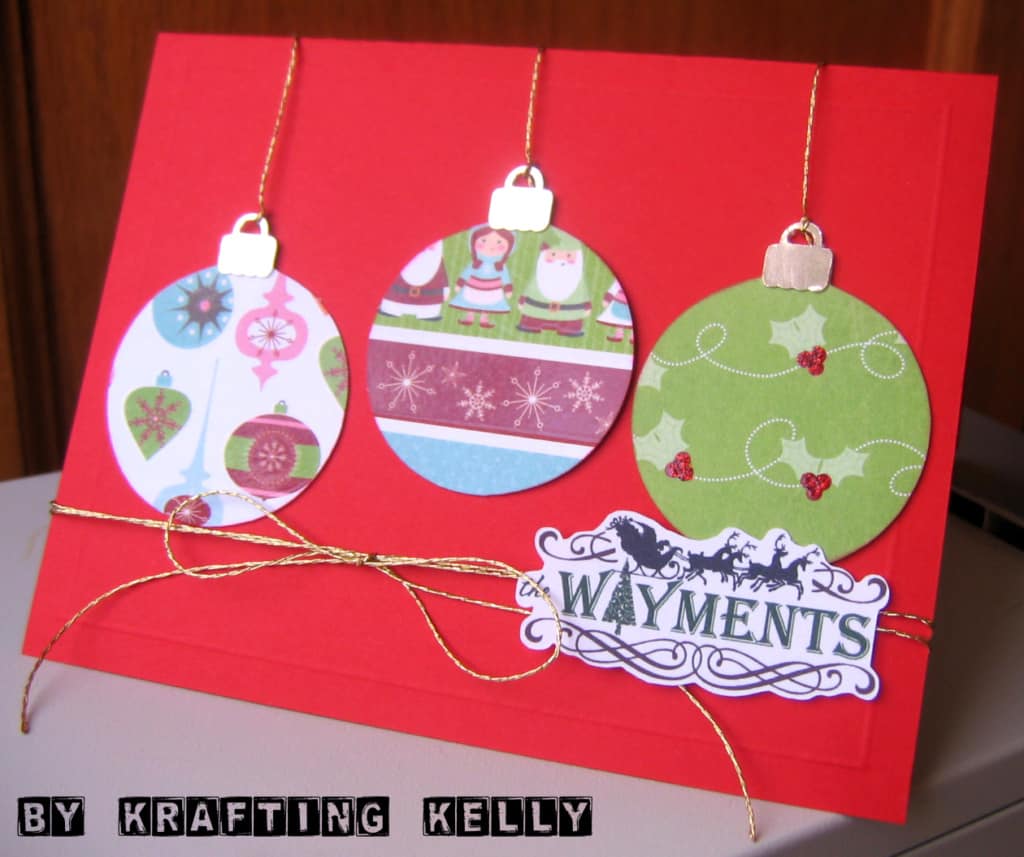
I’ve finally designed my Christmas card! I received the first three cards from others in the mail today, so it’s definitely time! I used the Silhouette to cut out the ornaments from double-sided paper by Imaginisce. The machine cuts so cleanly that I can use either side. I got the ornament design from Silhouette’s “Deck the Halls” design CD. The tops were cut from a metallic cardstock. No need to mess with real metal to get the same look, as far as I’m concerned.
I also designed the name label in Photoshop Elements. The adorable Santa’s sleigh comes from Stampin’ Up’s “My Digital Studio” software. The flourishes were from a Photoshop brush set (Horizontal Dividers by MouritsaDA). The tree for the “A” is a brush by Summer Driggs. I imported my finished .jpg design into Silhouette, then created my own cut line point by point. I’m not sure in the end scissors wouldn’t have been faster with the troubles I had, but I love how they turned out. And it’s so fun to watch the machine do the cutting instead of me. Especially for 30+ labels!
The gold thread came from Michael’s, the embossed rectangle was done using the Scor-Pal, I added a little glitter glue to the holly berries, and inked the ornament edges. Now I just have to assemble them all, get my photos printed, and pop them in the mail. Merry Christmas!

Adorable. . .as always! I'm looking forward to my Christmas card. 🙂
We were just commenting earlier how great the name label looks. I love how you put everything together. Wonderfully done.
Just found this post from checking your blog out better. I LOVE this.
I'm trying to learn the Silhouette so I'm loving posts that have anything to do with it. 🙂
Susie