Giant 3D Snowflakes with the Cameo Pro
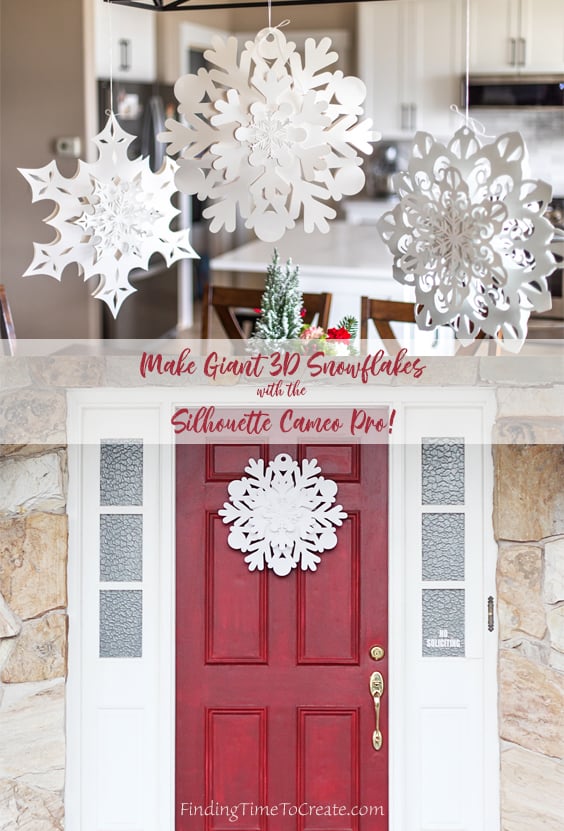
I’ve been waiting to share this project with you! With all my various Silhouette machines in their various functions and sizes, I still adore paper crafts. This tutorial is for creating giant 3D snowflakes with the new Silhouette Cameo Pro. This machine cuts 24″ wide, which means now it can cut giant paper sizes! These snowflakes are about 22″ wide.
Giant Paper
Most giant paper is fairly expensive per sheet, but I tried three different weights of plain ol’ white poster board, and it worked amazingly well! The cheapest poster board I found was here on Amazon.com, but be warned it is quite thin and can tear when peeling from the 24″ Cameo Pro mat if you are not careful enough. I recommend using the light tack Cameo Pro mat if using thin poster board.
I also tried this heavyweight poster board from Walmart, and it was less prone to tearing and still reasonably priced. The heavyweight and typical poster board you can find at Dollar Tree, Walmart, Michael’s, etc. all cut fine on the standard tack cutting mat that comes with the Cameo Pro.
Tutorial
You can read the full tutorial with all my tips and settings for cutting poster board HERE on the Silhouette 101 Blog. Enjoy!
This post contains affiliate links. Your price is the same, but I may receive a small commission when you use my links. Thanks for your support!
