Silhouette ES Mat vs. Cutting Mat
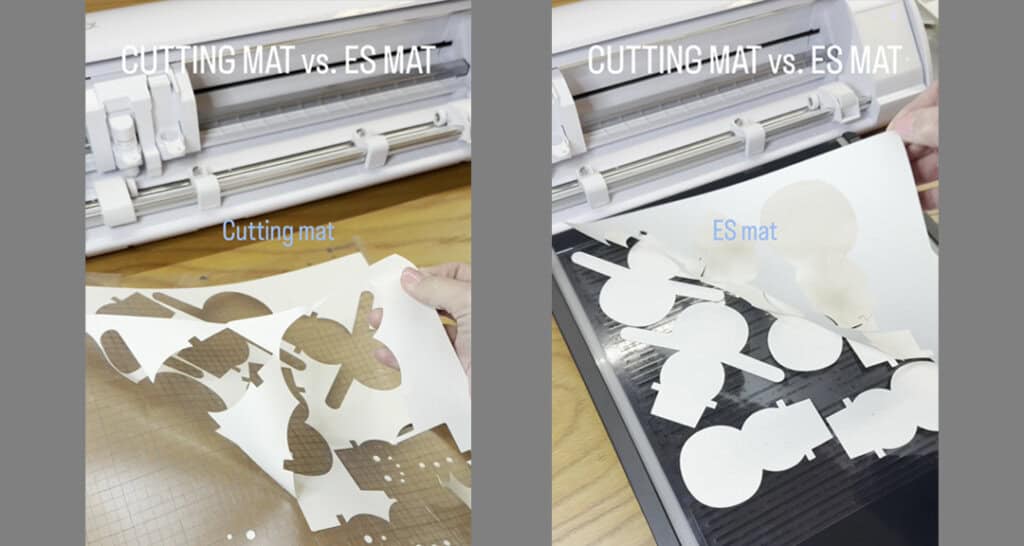
In this post, I’m going to compare the Silhouette ES mat vs. cutting mat. If you’ve heard the hype about the ES (electrostatic) mat and are on the fence about buying it, or if you just want to learn more about it, I’ve got you covered! I really enjoy telling people about the ES mat. It’s fun to show it off in person, but this will have to do.
I made this video on Instagram to demonstrate a bit of the comparison (click the image):
Let’s get into this!
Cutting Mat:
- The traditional sticky cutting mat is still an awesome tool that keeps your material perfectly in place, as long as you replace it after a few months of use as the tackiness disappears over time
- Cost = $14.99 USD (12″ Cameo). I generally need to replace mine every few months with regular use, so let’s say it’s about $45-60 annually when paying full price. This will go on indefinitely as long as you are using a Silhouette Cameo machine. (The price for a Portrait mat is $12.99 USD, so please adjust the totals accordingly.)
- Always test cut new materials and adjust your settings for optimum results
Some of the advantages of a traditional cutting mat are —
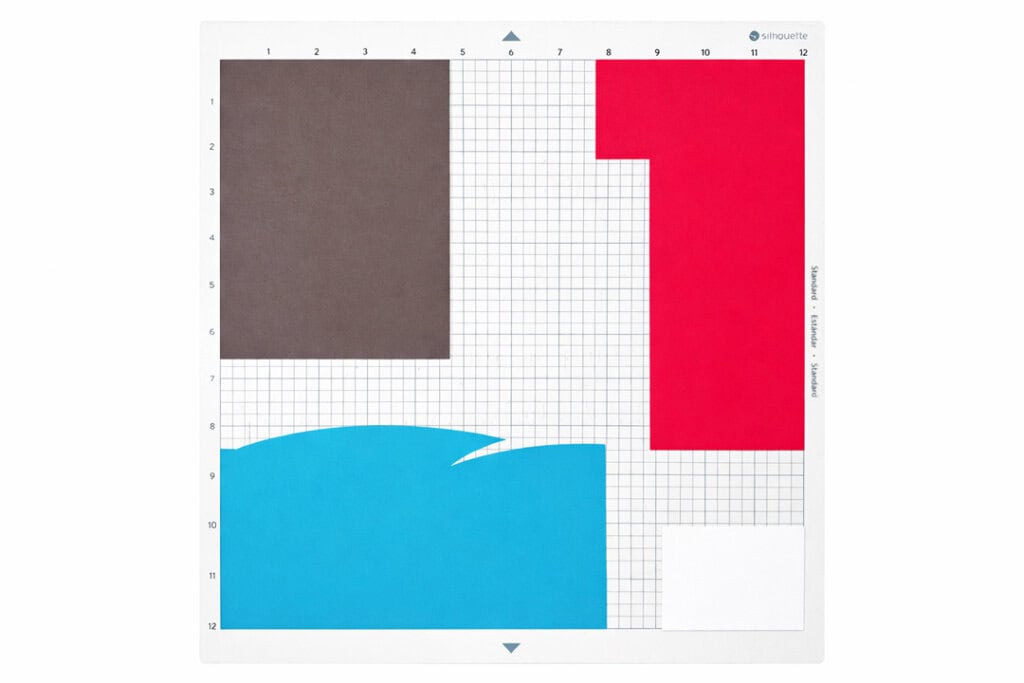
- A sticky mat keeps a good grip on your materials, even when you are working with scraps (2″x2″ and larger recommended)
- The mat’s grid matches your on-screen grid so it’s easy to place oddly-shaped material scraps for cutting, or place a mixture of scraps on different areas of the mat to cut multiple colors in one job
- The only option for holding soft or porous materials in place–like fabric, felt, or crepe paper
- Can cut textured material
- The size and shape of the Cameo mat has not changed for many years, so it is forward- and backward-compatible for any model of Cameo machine
Some disadvantages of a traditional cutting mat are —
- The stickiness can cause curling or tearing when removing papers after cutting
- Some papers are very difficult to remove from a sticky cutting mat, such as matte photo papers with a special coating, or delicate lightweight papers
- Removing remnants from intricate cuts left behind on the sticky mat can be tedious and time-consuming, or you can prematurely lose some of the mat’s stickiness when scraping bits away from the mat
- Sometimes it will leave a light sticky residue on the side of your material that was pressed against the mat
ES Mat:
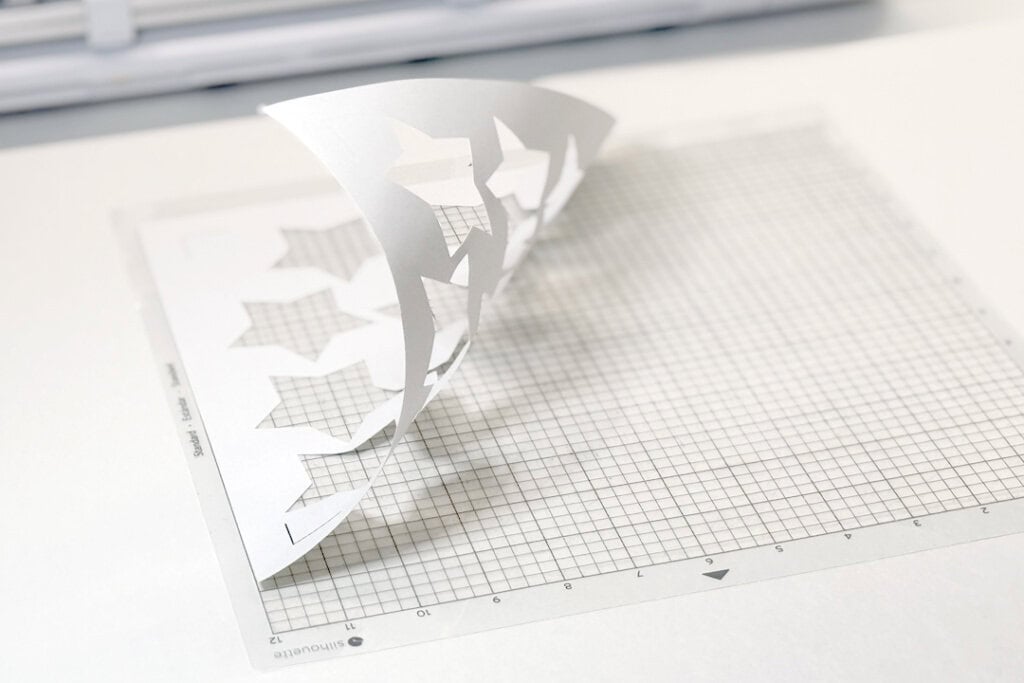
- The ES (electrostatic) mat is a game-changer. It saves a lot of time and frustration if you do a lot of paper cuts because it uses a static charge instead of adhesive to hold your materials in place while cutting.
- Cost = $99.99 USD (Cameo 5 or 5α) initially, but then you only need to replace the protection sheets at $9.99 USD for a 2-pack. I have been getting at least 6 months of regular use with each protector sheet, so let’s say it’s $10 annually after the initial investment. (Portrait 4 ES Mat is $89.99 USD and $6.99 USD for replacement protection sheets.)
- As with the sticky cutting mat, always test cut materials and adjust your settings for optimum cutting results when using the ES Mat.
Some of the advantages of the ES mat are —
- No curling or tearing when removing your cut pieces
- No sticky residue. This is especially nice for heat foil projects where the pen tip is pressing against the media — no sticky residue to pick up on the back side!
- Perfect for delicate lightweight papers and coated papers, as long as the media is flat and smooth with no texture (texture on the top side not against the ES bed is fine)
- Removing cuts and remnants is so easy by simply sliding it off the protection sheet, and then you’re ready for your next cut once you’ve positioned the protection sheet again
- Replacement protector sheets last longer and are less expensive than traditional cutting mats
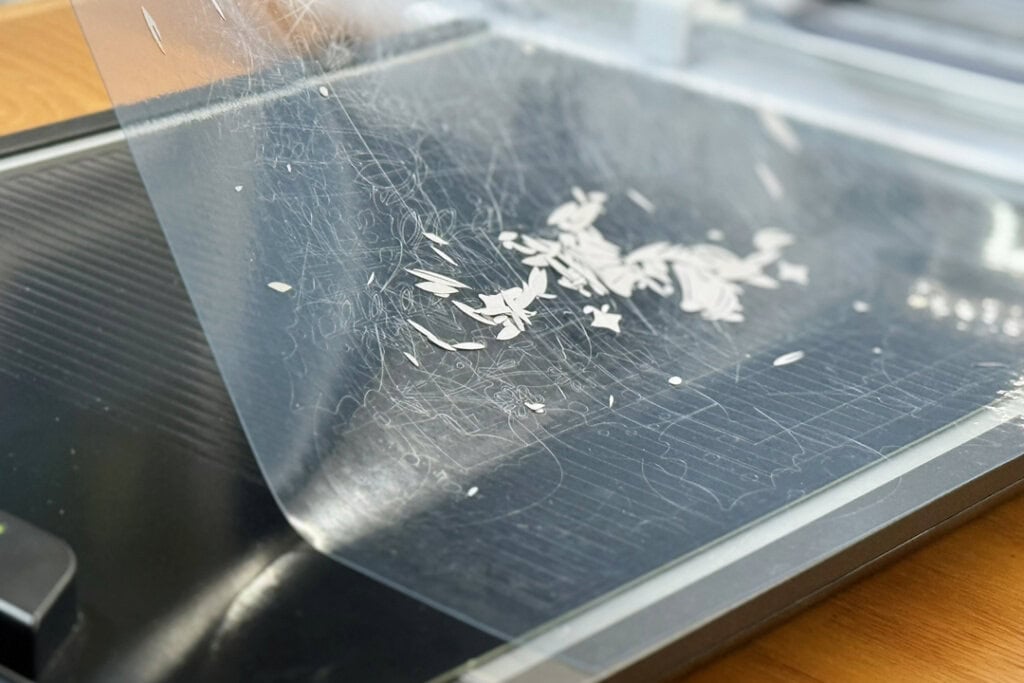
Some disadvantages of the ES mat are —
- You may have to deal with a little nuisance static cling when removing pieces, even if the mat has been turned off. (Tip: a lint roller helps remove anything that doesn’t slide or wipe off easily)
- You cannot cut soft or porous materials like fabric, felt, or crepe paper. (Save your sticky mat for those jobs!)
- Small scraps tend to lift off the ES mat while cutting. Cut from large pieces to increase the surface area held by the static cling, or use a little tape to help hold smaller media in place.
- The ES mat is not backwards compatible to older machines. It will only work with the Cameo 5 models and newer, and the Portrait 4. (Note there is a different ES mat for the Cameo vs. Portrait. Not available for the Cameo Pro models.)
In summary, both the traditional sticky cutting mat and the ES mat have pros and cons. I suggest keeping a fresh sticky cutting mat on hand, but now that I’ve had my ES mat I would never want to go back to the sticky mat as my only option!
The prices listed above are current MSRP. You can always try my affiliate code TIME2 for a 5% discount (one-time use per customer), and/or watch for sales and bundle deals on silhouetteamerica.com!
Please let me know if you have questions or comments below.
P.S. Want to see more of the ES Mat in action?
This post contains affiliate links. Your price is the same, but I may receive a small commission when you use my links. Thanks for your support!

Thanks for comparing the two of them! I have a cameo 4 so I’ll probably hold out a little longer but it’s so helpful to know what things the ES is good for. I appreciate you taking the time to share your thoughts.!
I’m glad you found it helpful, Willow! I suspect this ES mat will be a part of any new Cameo coming out in the future, so do keep it in mind when you’re ready for your next machine! 🙂