Who Likes Unicycles?
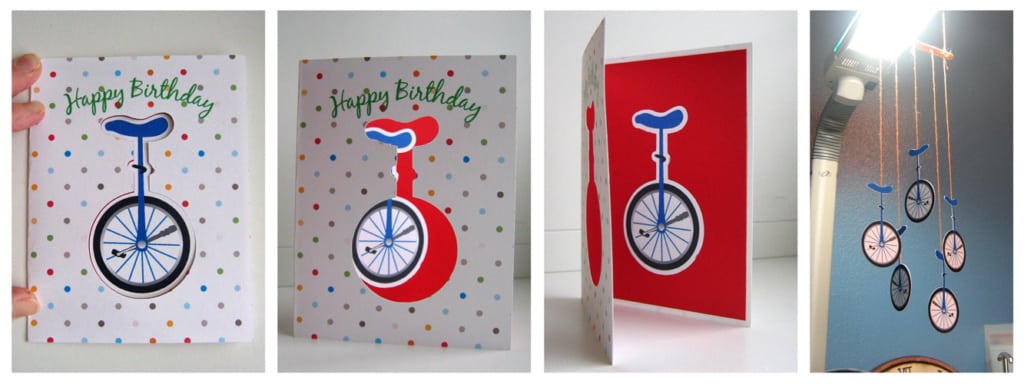
Here’s a card and a mobile I made for my brother with the Silhouette using the print and cut features. The unicycle comes as a cut design, but I didn’t want to cut and then glue all the tiny little pieces, especially multiple times for the mobile. So I made it a print and cut.
I ungrouped it all, then colored each individual shape with the fill color I wanted. I had to add one extra white circle so the “cut edge” feature didn’t try to cut all the individual spokes. Then I moved the pieces back where I wanted them and grouped them again. “Cut edge” made sure it wasn’t cutting each piece individually. I filled a page with 5 unicycles, then 5 more in a mirror image so I could glue them back-to-back for the mobile.
For the card, I copied the unicycle I had made as a print and cut over to a new document so it kept its outer cut line. I made a white offset for it, also. Then I made a rectangle in card size and filled that with a pattern fill, size adjusted (you should play with the advanced features in the fill settings). I made my Happy Birthday text and dragged it over to an oval for the curved text, again adjusting for spacing and placement. Deleted the oval. You could put a perforated line in the middle of the card, but I prefer to just fold it. I made a temporary line just so I could make sure my design was centered.
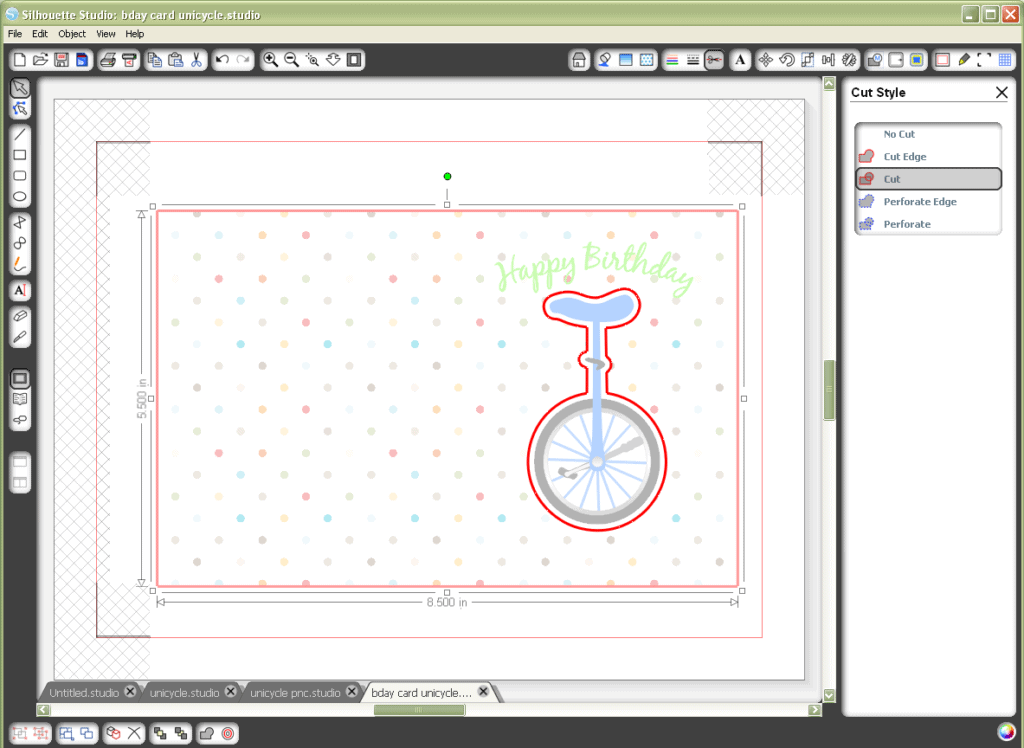
Once I had everything where I wanted it, I made sure the registration marks were on and sent it to my printer. Then through my Silhouette. I folded the card in half, adhered a separate red paper on the card’s inside, then put adhesive on the back of the unicycle and just placed it down on the red paper through the window so it fit perfectly.
I love it when my print and cut works exactly the way it should! I hope my brother likes the card. Sorry if you see it here before you get it in the mail, bro!

I love it.
I can't wait to see it in person!
Oh My! This is amazing!
I believe that you can do anything.
Judy
The Silhouette blog just posted a similar tutorial on this today. Print and cut is great!
I just found your blog…love it! So much great info.