My New Silhouette Cameo
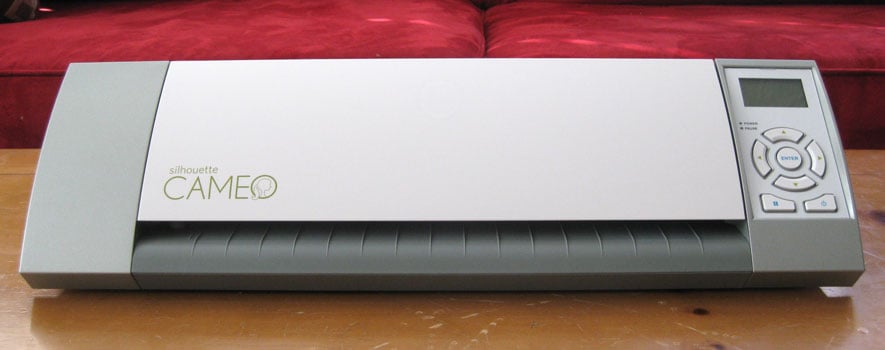
What a beautiful thing! Hopefully I’ll have time to play with it this weekend, but I absolutely love the larger format already! For those of you who don’t know, the Cameo is the new Silhouette digital cutter that will cut full 12″x12″ paper, and 12″x 10 feet of vinyl!
I pre-ordered from an Orem, Utah, store (now out of business) and was able to drive an hour each way to pick up this baby in person as soon as it was available!
This is none too soon, as my poor original Silhouette is just worn out. I know what generally will and won’t cut accurately anymore, but other than that the poor thing can’t handle anything that covers the whole page. It’s not even in good enough shape to give away at this point, but it has served me well. Thanks to my wonderful mother-in-law who has let me use it to death and allowed me to go on this creative journey including my blog, design team contributor, forum moderator, and Silhouette instructor. Who knows what else? Ah, I’m getting sentimental…{sniff}
If you have questions about what the Cameo will and won’t do, go ahead and ask me!

Congrats Kelly! Mine came yesterday and I gave her a spin last night. Love the size and the design/work space really makes a difference….more then I thought it would . However….my machine is really really LOUD!!!! It's way louder than my SD! I'm concerned it may be defective or something! 🙁 Would u mind letting me know what you think after u try yours out please? I'd really appreciate it!
PS-love your new picture!
Thanks, Dawna! I think mine is slightly quieter than my original Silhouette. I don't think it's supposed to be louder than your SD. I'd send an email to customer service. They'll probably suggest you make sure all the packing foam is out. My husband added some sewing machine oil and other lubrication to my original Silhouette, but I'd talk to customer service first.
Okay, I'm getting my Cameo mid-November and was wondering if I need to upgrade to Designer Studio (I think that is what it is called) in order to use my svg files
Sue, you don't have to have Studio's Designer Edition to open SVG files, but it sure is nice and quick (besides all the other nice features).
The workaround is to use Inkscape (a free program) to open an SVG file and save it as a DXF file, which will open in the free version of Studio. There are a few other tips I can share with you to make that go smoothly, if you're interested.
But I'll just say I really like Studio Designer Edition!
Yay!
I love your projects. My Cameo is supposed to arrive on Monday, I can't wait to give it a try. I especially like the letters you cut out on the glass. Keep up the great work!
I got my Cameo last week and am having a blast using it and learning as much as I can about it! It is wonderful!
I have had a great time looking at your blog and reading all about it…and I will become a follower as soon as I finish my comment. 🙂 Do you have any tips or tutorials on importing and cutting SVG files?
Thanks!
Susan http://www.expressionavenue.blogspot.com
Susan, if you want to work with a lot of SVGs you might consider purchasing the Studio Designer Edition. That's one of the many nice features in the upgrade. If you don't want to buy the upgrade (which you can find on sale from time to time), you'll need to use a free program called Inkscape. Open the SVG in Inkscape, save it as a DXF, and then that file type can be opened in Studio.