Pop Up Letters

At the last Silhouette Basics class I taught at Heartland Paper, I taught how to use the point-editing tools in Silhouette Studio to make this popup place card. I forgot, however, to bring this extra project I made that shows another example using point-editing.
This was on Pinterest and someone on the Silhouette Plus forum asked how to make this kind of gift wrap embellishment. I was able to re-create it using point editing with Silhouette Studio to remove the bottom portion of each letter. If you’ve got the Studio DE upgrade, you can use the eraser tool to do the same thing if you opt to treat unfilled shapes as an outline.
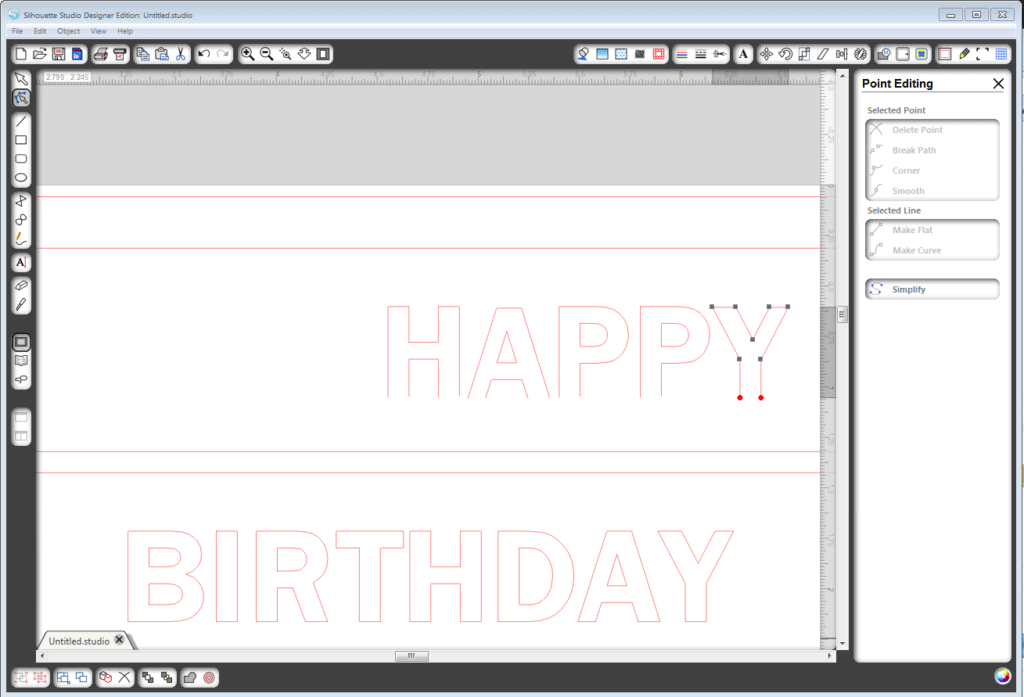
Go ahead and try it! I think someone would love to receive such a pretty (or masculine) and personalized gift. The idea can be altered to suit the recipient.
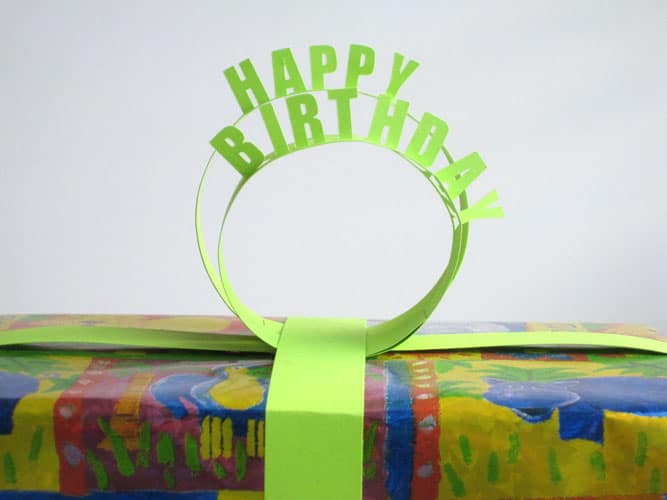
Here’s the link to a short tutorial on making these pop-up letters.

OMG, I *JUST* pinned this to my Pinterest–the tutorial was using an Exacto Knife! I was wondering if my Sadie could do this–well, thank you, I'm sure it can now!! 😉
Oh, yes, the Silhouette is so much nicer than an exacto knife for something like this! Well, for anything, really! 🙂 Jann, I've got a tutorial for this on the Silhouette Plus forum.
I am still new at this…would you just make two lines, insert the text in the middle of those two lines…then "point edit" the bottom of the letters out?
Sabrina, make a rectangle instead of lines, then exactly as you said. I've just added a quick tutorial here.
Love this! And I never knew this feature was available! Thank you! Found your site from the Flickr site- i am so jazzed to be a new follower of FTtC!
Oh this is such a good idea, I really like this. Laura