Stencil Art Zoom Class
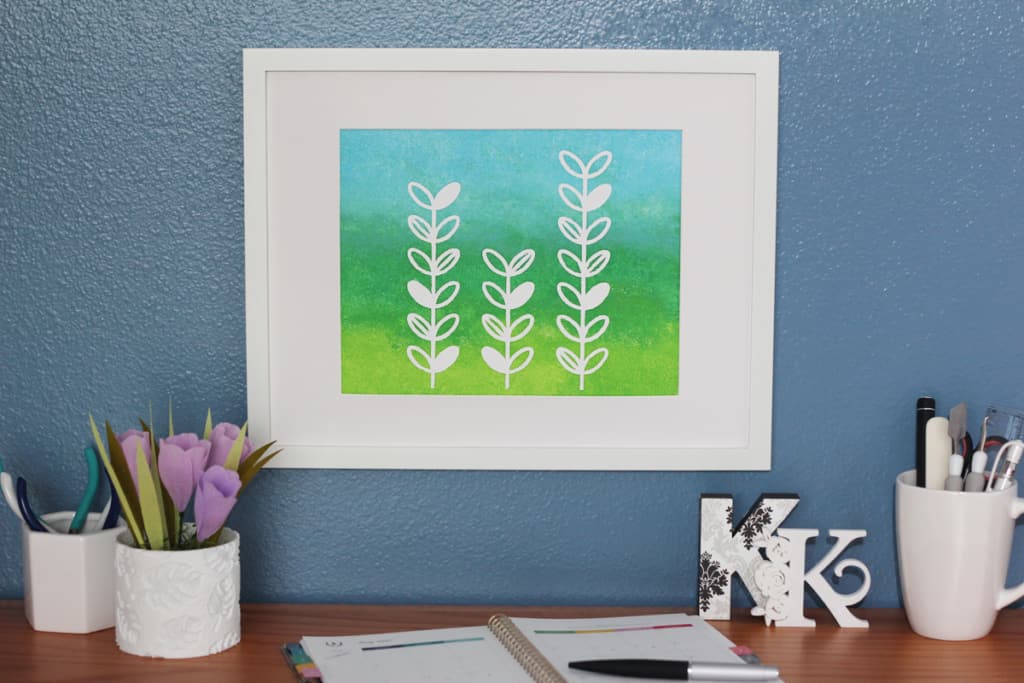
My next live online class with Silhouette and Michael’s is this Thursday, April 15 at 2:00 p.m. MDT. You can register for this stencil art class here (expired). As always, if you attend live you can ask your questions so I can answer them throughout the class, or you can watch the replay at your convenience. See the replay at the end of the post.
Class Description:
Try this easy vinyl stencil project to add handmade art to your décor! I will show you how to create this stencil art in Silhouette Studio and cut vinyl with your Silhouette machine. We’ll use the vinyl as a stencil and apply acrylic paint to a canvas to match your décor. I’ll use the Silhouette Cameo 4 in this class, but any cutting machine will work for vinyl stencils.
Supply List:
- Silhouette Cameo 4 (or any cutting machine)
- Autoblade (or preferred blade)
- Cameo 4 Punch Tool (optional)
- Adhesive vinyl – permanent, any color, minimum size 8” x 10”
- Transfer tape
- Hook tool for weeding
- Scraper tool or vinyl squeegee
- 8×10” canvas panel – please prep in advance by painting white and let dry
- Frame for 8×10″ picture size (I chose an 11×14″ frame with a mat opening of 8×10″)
- Acrylic paint – white + 3 colors to blend into ombre
- Sponge paint applicator
- Paper trimmer
- Protective gloves
- Design ID #314804 “Mod Florals” (This design will be free to download the week of the class.)
I’ll see you in class!
Here’s the replay:
Check out my other classes here.
This post contains affiliate links. Your price is the same, but I may receive a small commission when you use my links. Thanks for your support!
