Tag: Classes

Silhouette Lesson: Common Functions

Silhouette Lesson: Common Functions

Common Functions This Silhouette Studio lesson covers basic, frequently-used functions. I explain the variety of saving options and what they do, along with several ways to copy & paste and to group & ungroup. All of the functions discussed in this video apply to both 

Silhouette Lesson: Grid Window

Silhouette Lesson: Grid Window

The Grid Window is a very helpful feature for Silhouette users. I use it all the time! (You’ll see me use the Grid feature throughout my video lessons.) This lesson covers basic features for all Silhouette Studio users, but I also show a few extra 

Silhouette Lesson: Text Tool

Silhouette Lesson: Text Tool

There are many things you can do with text in Silhouette Studio, and this lesson is a basic introduction to the Text Tool. Silhouette Studio: Text Tool This lesson explains how to use the Text Tool in Silhouette Studio (both Basic and Designer Edition). Learn 

Silhouette Lesson: Quick Menu & Shortcut Buttons

Silhouette Lesson: Quick Menu & Shortcut Buttons

Here are two more Silhouette lessons covering many of the buttons/icons at the top and bottom of your Silhouette Studio screen. Remember, passwords to these videos are in their descriptions. Email subscribers, you must be on my website to view the videos (click the post 

Silhouette Lesson: Design Page

Silhouette Lesson: Design Page

Design Page Settings Window This Silhouette lesson discusses your options on the Design Page Settings Window in Silhouette Studio. For Basic and Designer Edition, all recent versions. (Recorded with v.3.3.451.) Password: page

Silhouette Studio Lesson: Library

Silhouette Studio Lesson: Library

This Silhouette Studio lesson talks about the Library in your software. How to search for shapes you already have, how to sort your shapes, how to use and create folders and subfolders for organizing your designs, and more. It should also apply to organizing patterns 

Silhouette Studio Design Store

Silhouette Studio Design Store

I really am starting at the basics, here. These three lessons (also found on the SILHOUETTE LESSONS master page) cover the basics of the Silhouette Design Store. How to access it, all your account settings and goodies, and how to purchase designs. The last video 

Silhouette Studio Preferences

Silhouette Studio Preferences

Let’s get started with the next set of Silhouette Studio lessons. These have been on my SILHOUETTE LESSONS master page since my website rollout this past weekend, but I think it will be helpful to have the lessons on individual posts as well. This way 

How to Update Silhouette Studio

How to Update Silhouette Studio

Update Silhouette Studio and Load Designer Edition This video shows the very basic steps of how to update your Silhouette Studio software to the most current version, and how to upgrade your Basic Edition to Designer Edition once you’ve purchased the upgrade. Password: Update1 Note: 

Coming Soon: Silhouette Lessons

Coming Soon: Silhouette Lessons

That’s right, I said it. I’ve been creating a new website so I can have more control over the site layout, and I will be filling it with Silhouette lessons for you! The lessons will be thorough, so beginners (and also long-time Silhouette Studio users) 

Live Online Class Today

Live Online Class Today

Thank you to those who joined me earlier today on my first online class since July.  I had a few minor difficulties, like forgetting to record and my print & cut miserably failing with the newest software update, but not to worry… I promise to 

Silhouette Live Online Class!

Silhouette Live Online Class!

Yes, I know it’s been three months since I did my test run for a live online class, but I’m finally able to do another!  Anyone who attended the last class may have already received an invitation. I’ll have two online classes on Thursday, October 

Halloween Treat Bottle

Halloween Treat Bottle

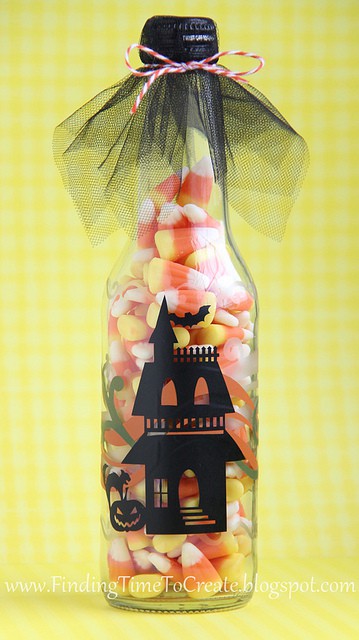
  It’s getting to be that time of year again! I think fall and Halloween projects are some of my favorite. This is a vinyl project I’ll be teaching for my next Silhouette Silly class at Heartland Paper on September 20th.  It will be from 

Silhouette Online Live was a Success!

Silhouette Online Live was a Success!

I felt like yesterday’s live online classes were a success! The system seemed to work well for most people, and I’m already getting great feedback. This will take a little tweaking to make it enjoyable and practical for everyone, so I appreciate your patience and 

Silhouette Online Class Test Run

Silhouette Online Class Test Run

By popular demand, I’m trying out a new class format. I won’t be giving up teaching local Silhouette classes, but I can’t reach as many people as I’d like to unless I expand online. So this Friday, July 6th, I’ll be broadcasting a live webinar 

Vinyl Name Plate

Vinyl Name Plate

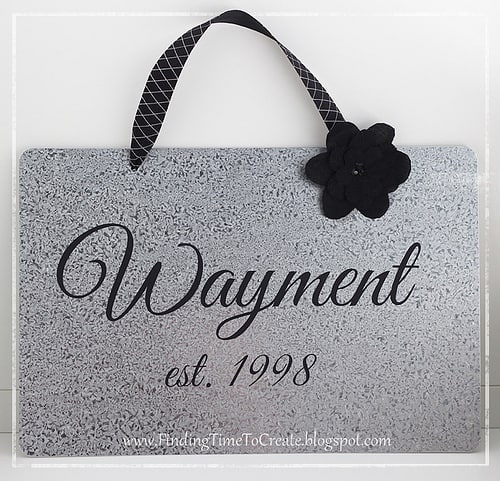
This is a sample of the project we made last night in the class I taught for Silhouette Basics at Heartland Paper. My students were learning how to use the Text Tool and to Weld in Silhouette Studio, among other things. I added the flower 

There’s Still Time…

There’s Still Time…

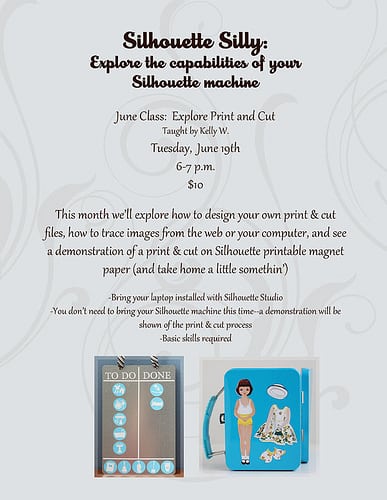
I still have openings for my Silhouette Silly Class at Heartland Paper on June 19th.  If you’re willing to travel to Bountiful, Utah, for a one-hour class on Print & Cut, then please call the store by this Saturday to claim your spot!  (801-294-7166) I 

Chore Chart

Chore Chart

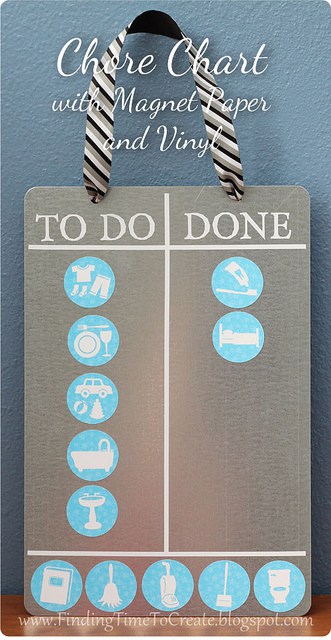
I made this chore chart using Silhouette’s printable magnet paper with the print and cut feature of the Silhouette Studio software. Honestly, I bought this magnet paper a long, long time ago and never even opened the package until this project. My next Silhouette Silly 

Silhouette Silly Class:  Fabric Interfacing

Silhouette Silly Class: Fabric Interfacing

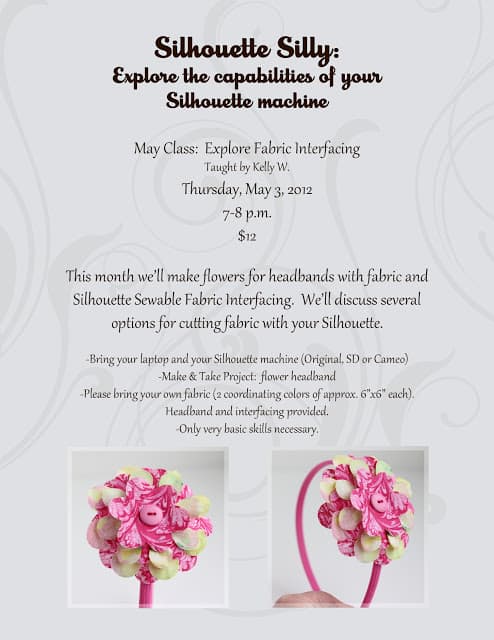
This is the next “Silhouette Silly” class I’ll be teaching at Heartland Paper in Bountiful, Utah.  We’ll make flower headbands like these with Silhouette Sewable Fabric Interfacing, and I’ll demonstrate other options for cutting fabric.  Only one hour this time, for any skill level.  Call 

Happy Birthday Card

Happy Birthday Card

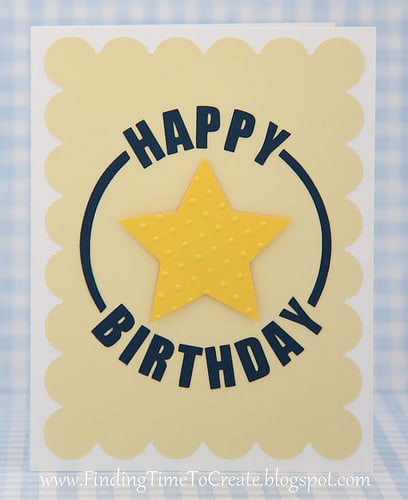
Here’s a birthday card using Silhouette Studio’s text-to-path function.  Very simple, but sometimes simple is good.  🙂  This is what my Silhouette Basics students will be learning and making during their third and final lesson next week. The next round of Silhouette Basics will begin 

Silhoutte Silly Class at Heartland Paper

Silhoutte Silly Class at Heartland Paper

I’m teaching this class on March 29th in Bountiful, Utah. Please call Heartland Paper to sign up if you can make it and want to attend. (801-294-7166) This is the make & take project that will use the skills you’ll learn that night: Questions? Ask 

Sketch-Pen Window Card

Sketch-Pen Window Card

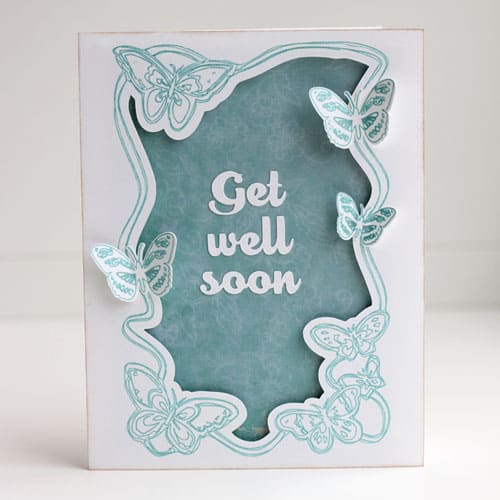
I made this card for a card challenge on the Silhouette Plus forum, then turned it into a class on using sketch pens for Silhouette users in my area.  I’m going to try this class again later because of a lack of interested parties this 

Silhouette Basics Class:  Lesson 2 Make & Take

Silhouette Basics Class: Lesson 2 Make & Take

I just wanted to show this cute bag topper we’ll be making for the Silhouette Basics Class at Heartland Paper (Lesson 2 is on March 6th this time around). My co-teacher Alice came up with the cute idea and I just refined it a little.  

Holiday Place Cards

Holiday Place Cards

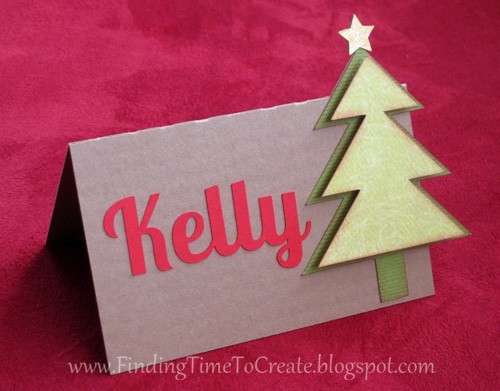
This is the project I’ll be using to teach some skills at my Silhouette Basics class this Thursday night. Everyone is going to design their own place card from scratch using the Silhouette Studio drawing tools and this free Christmas-tree shape everyone with Studio has 

Silhouette Class Details

Silhouette Class Details

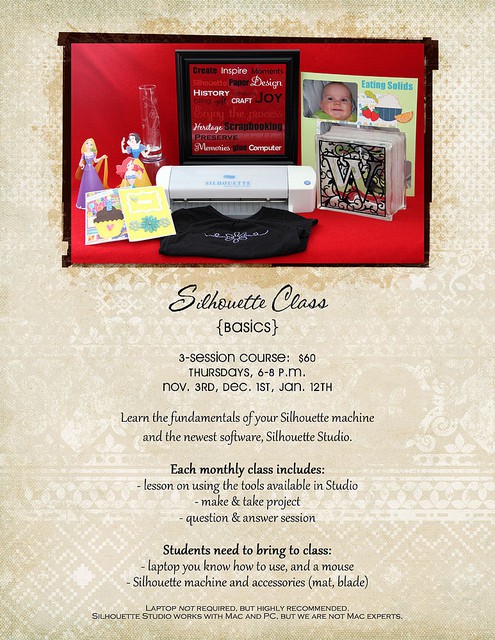
If you can’t make it to Heartland Paper’s Holiday Open House, here are the details for my class. You can call the store to sign up starting Tuesday night, October 11th. This will be filled on a first-come, first-served basis. Heartland Paper 801-294-7166 616 W.